
 FAQs
FAQsSet Up Logo
You can upload your logo image in the Mella Options. If the logo is not uploaded, then your site name will be used.
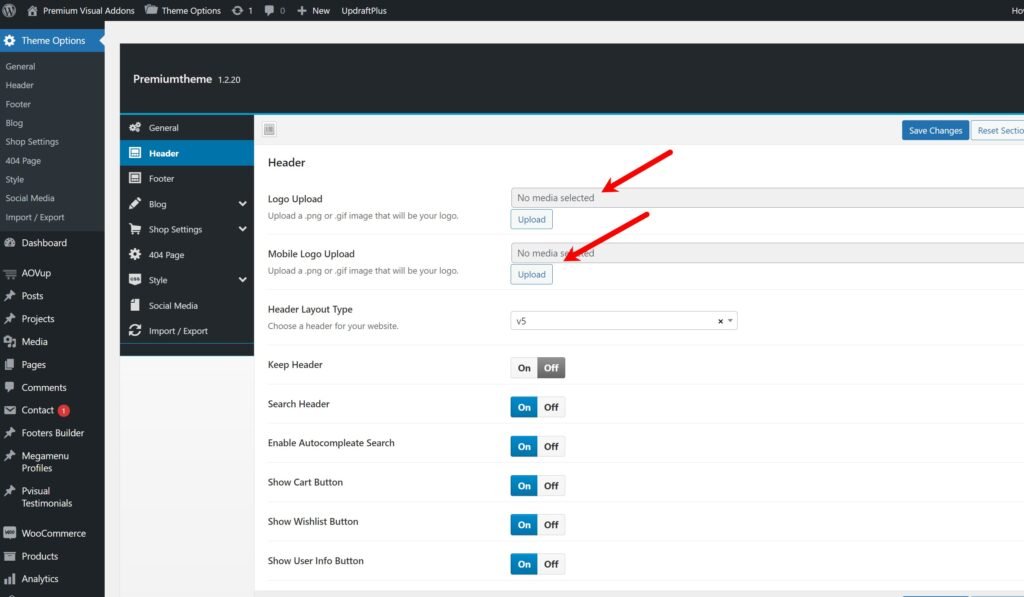
Please, follow the steps below to upload your logo:
Step 1 – Login to your WordPress Dashboard.
Step 2 – Go to Mella Options > Header Tab
Step 3 – Upload your logo by clicking on Select Image ( our current logo is 150px x 50px ).
Step 4– Upload your favicon – should be a 32px x 32px Png/Gif image.