
 FAQs
FAQsSet a page as Home Page
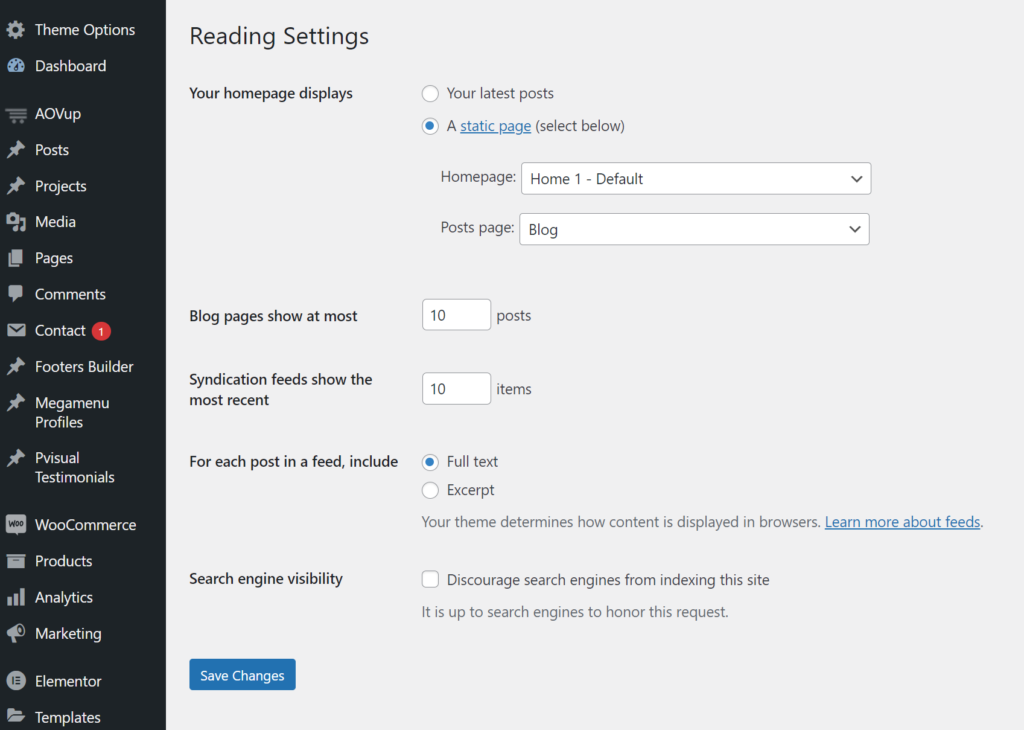
Step 1 – Go to Settings > Reading in your WordPress Dashboard panel.
Step 2 – Set “Front page displays” to a “Static Page”.
Step 3 – In the drop-down menu for “Front Page” choose a page that will be your home page.
Step 4 – Leave the drop-down menu for “Posts page” empty, as this is not used by the theme.
Step 5 – Save changes.