

 FAQs
FAQsLayout
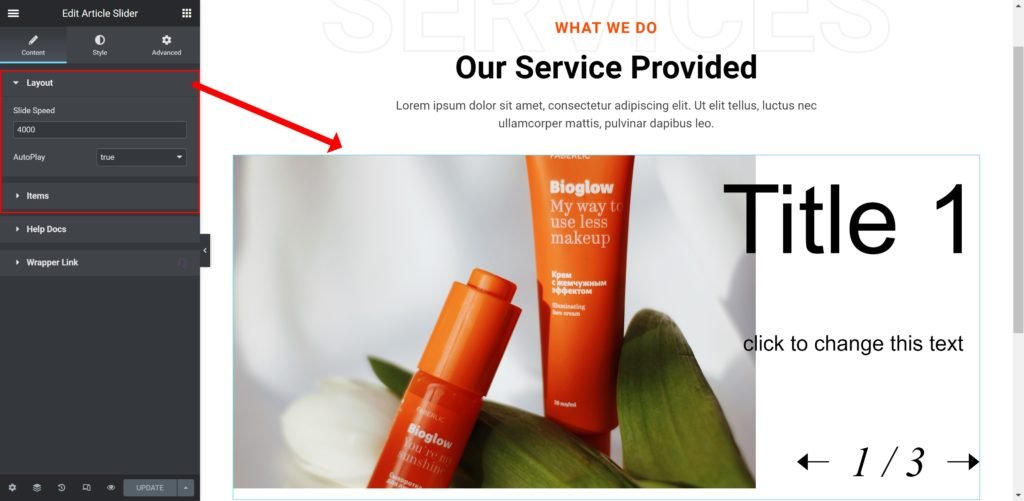
Slider Options
- Slide Speed: Set the time between slide movement, in milliseconds.
- AutoPlay: Slide to YES to have the carousel slide automatically.
List Items
Shows a list of all the items in the slide. You can drag and drop them to change their order. Click on the Add Item button to add another item to the list.
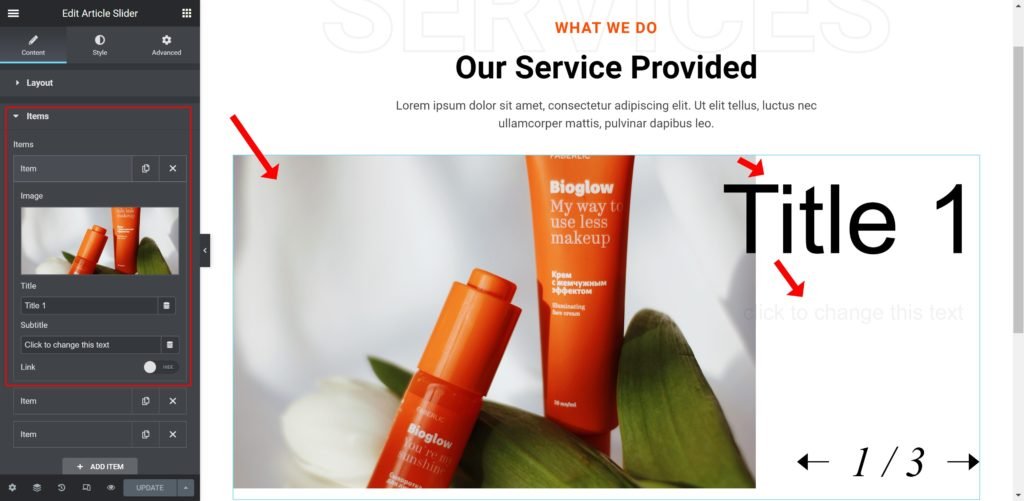
Shows a list of all the items in the slide. You can drag and drop them to change their order. Click on the Add Item button to add another item to the list.
Shows the list of slides. You can drag and drop them to change their position, duplicate, delete or add a slide. When you click on a single slide, its options open up. Each slide has Background, Content and Style settings.
- Image: Upload or Choose an image from the media library.
- Title: Enter the slide’s title.
- Subtitle: Insert the subtitle for the slide.
- Show Link: Choose whether to show or hide the link.
- Button Text: Set the text for the button.
- Link to: Add a URL the slide or button will link to.
Style
Box:
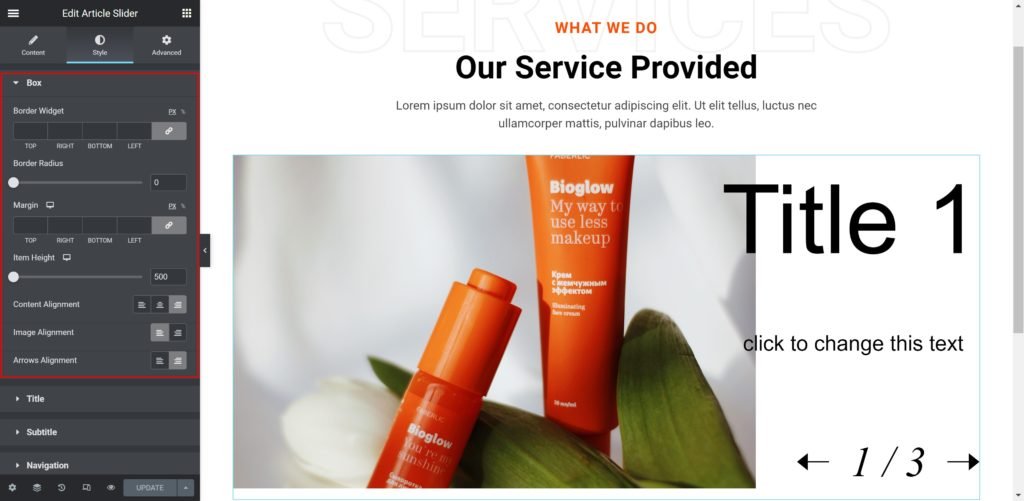
- Border Widget: Set the thickness of the border around each slide.
- Border Radius: Set the border radius for the images to control corner roundness.
- Margin: Set the outer spacing between the edge of the content and the edge of the slide.
- Item Height: Set the height of the widget.
- Content Alignment: Align the content to the right, left or center.
- Image Alignment: Align the image to the right, left or center.
- Arrows Alignment: Align the arrows to the right, left or center.
Title:
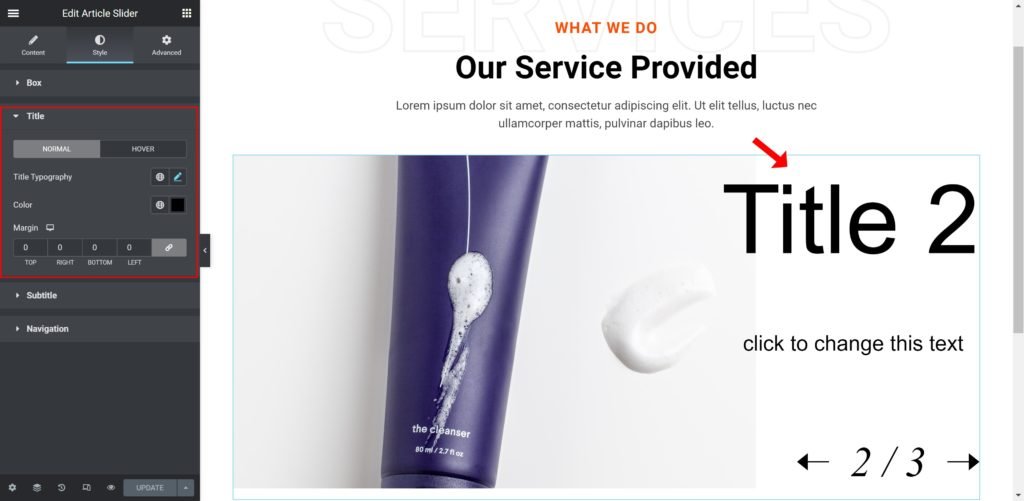
- Typography: Customize the typography of the Title.
- Color: Set the post’s Title color. The title appears within the overlay when you hover over the image.
- Margin: Set the outer spacing between the edge of the Title and the edge of the item slide.
Subtitle:
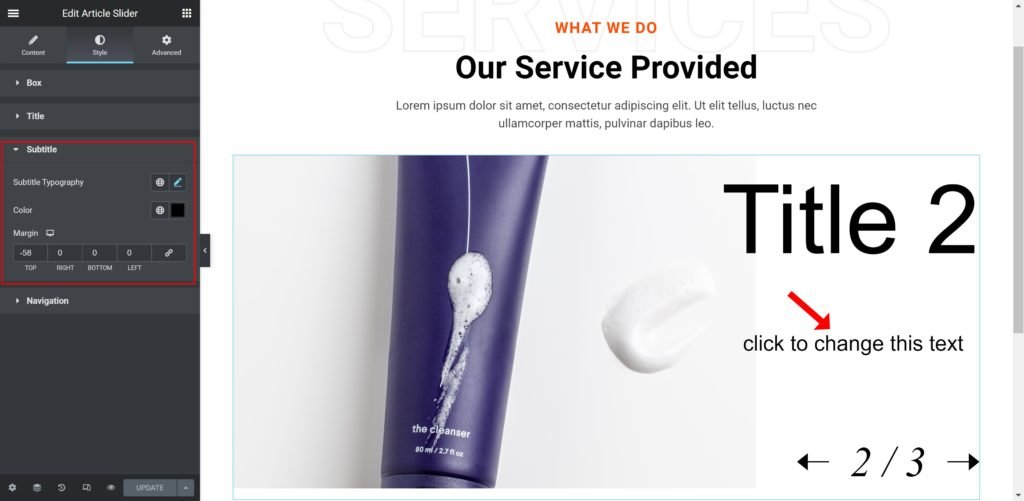
- Subtitle Typography: Customize the typography of the Subtitle.
- Color: Set the post’s Subtitle color.
- Margin: Set the outer spacing between the edge of the Subtitle and the edge of the item slide.
Navigation:
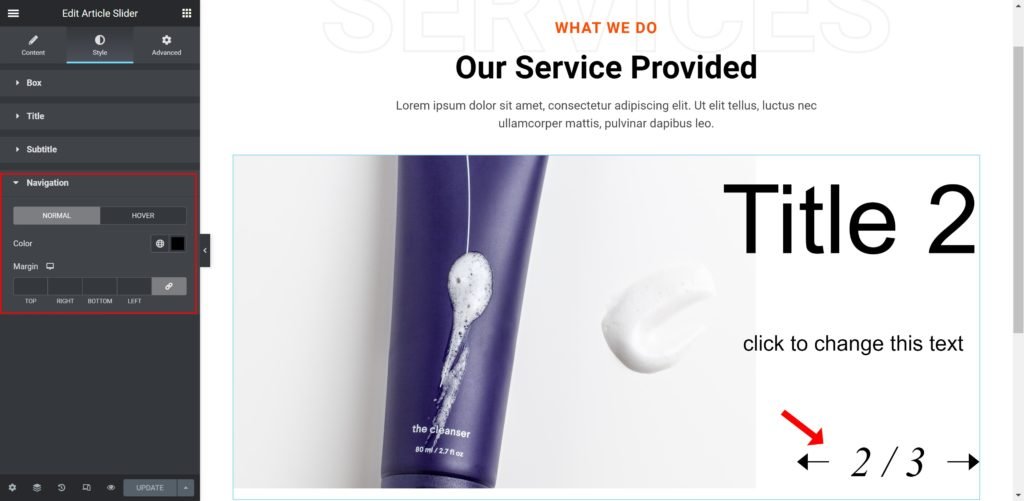
- Color: Set the color for the controls.
- Margin: Set the outer spacing between the edge of the button and the edge of the slider.
