

 FAQs
FAQsLayout
Allows you to add Pie Chart block on your page.
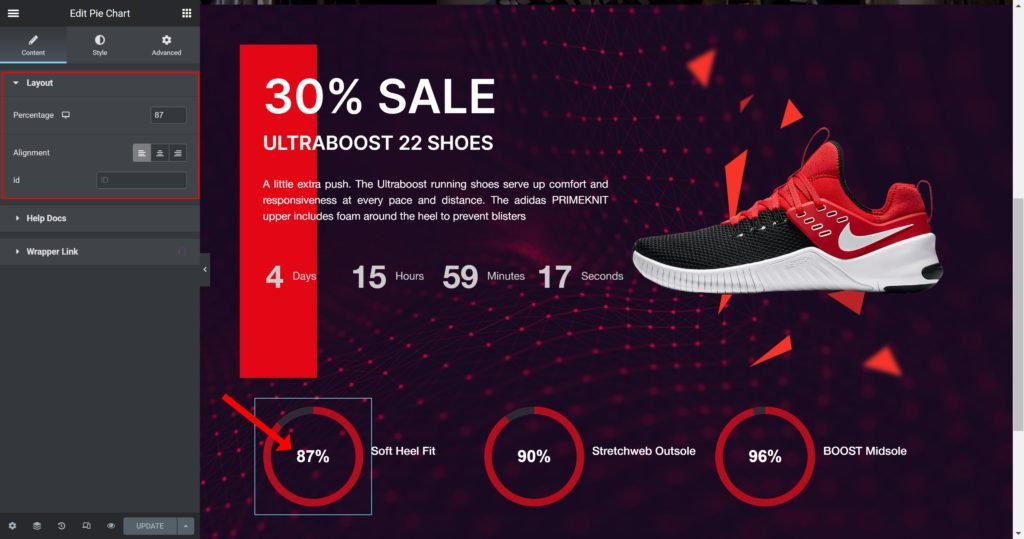
- Percentage: Set the percentage number to show in the pie chart.
- Alignment: Align the content to the right, left or center.
Style
Content:
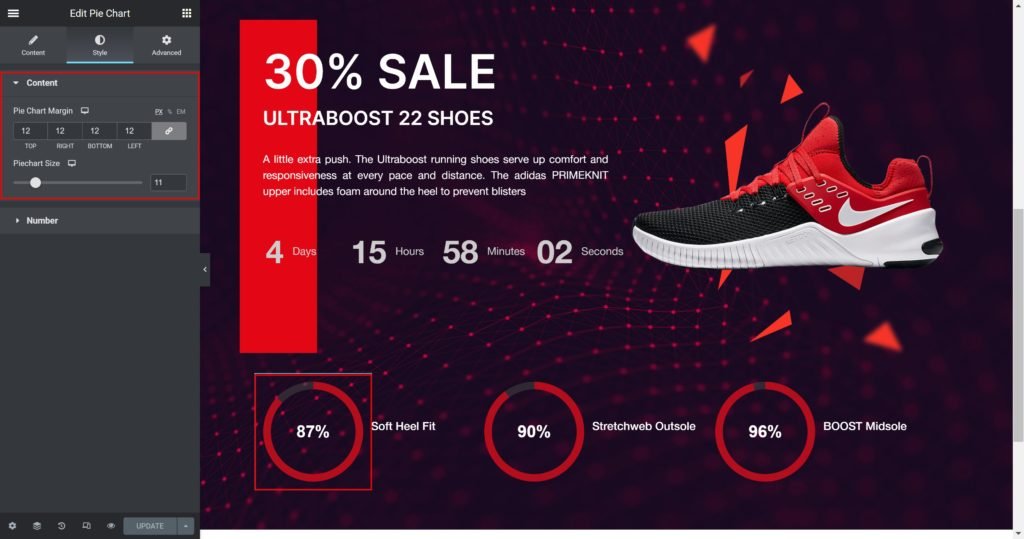
- Pie Chart Margin: Set the outer spacing between the edge of the content and the edge of the slide.
- Pie Chart Size: Set the size of the pie chart.
Number:
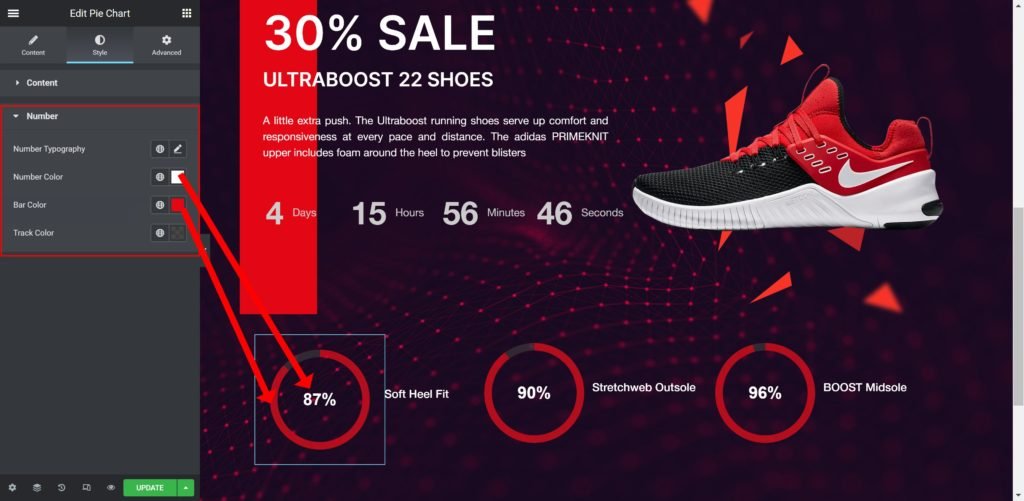
- Number Typography: Customize the typography of the number.
- Number Color: Set the color of the Number.
- Bar Color: Set the color of the Bar.
- Track Color: Set the color of the Track
